Keep your
film moving.
Storyboard your scenes, generate shots with AI, and edit them together. One browser workspace, from the first idea to the final cut.
Free editor. No credit card required.
Less moving files.
More making the film.
A good shot is only part of the job. Keep the plan, the cast, and the edit in the same workspace so you can keep going.
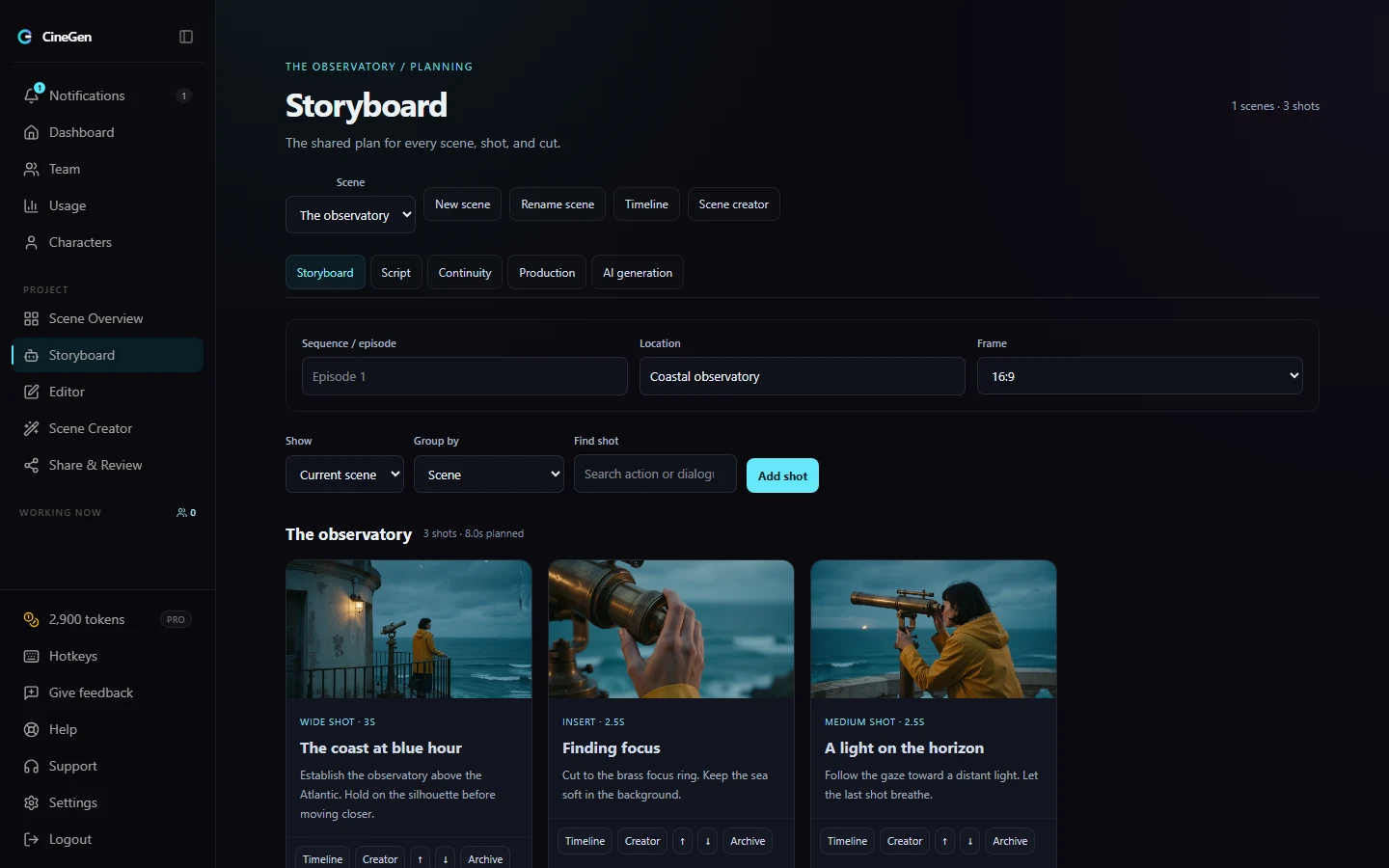
Work out the scene before you generate it.
Put your script, shot notes, and storyboard panels together. Rearrange the sequence until the story makes sense, then decide which shots need to be generated.
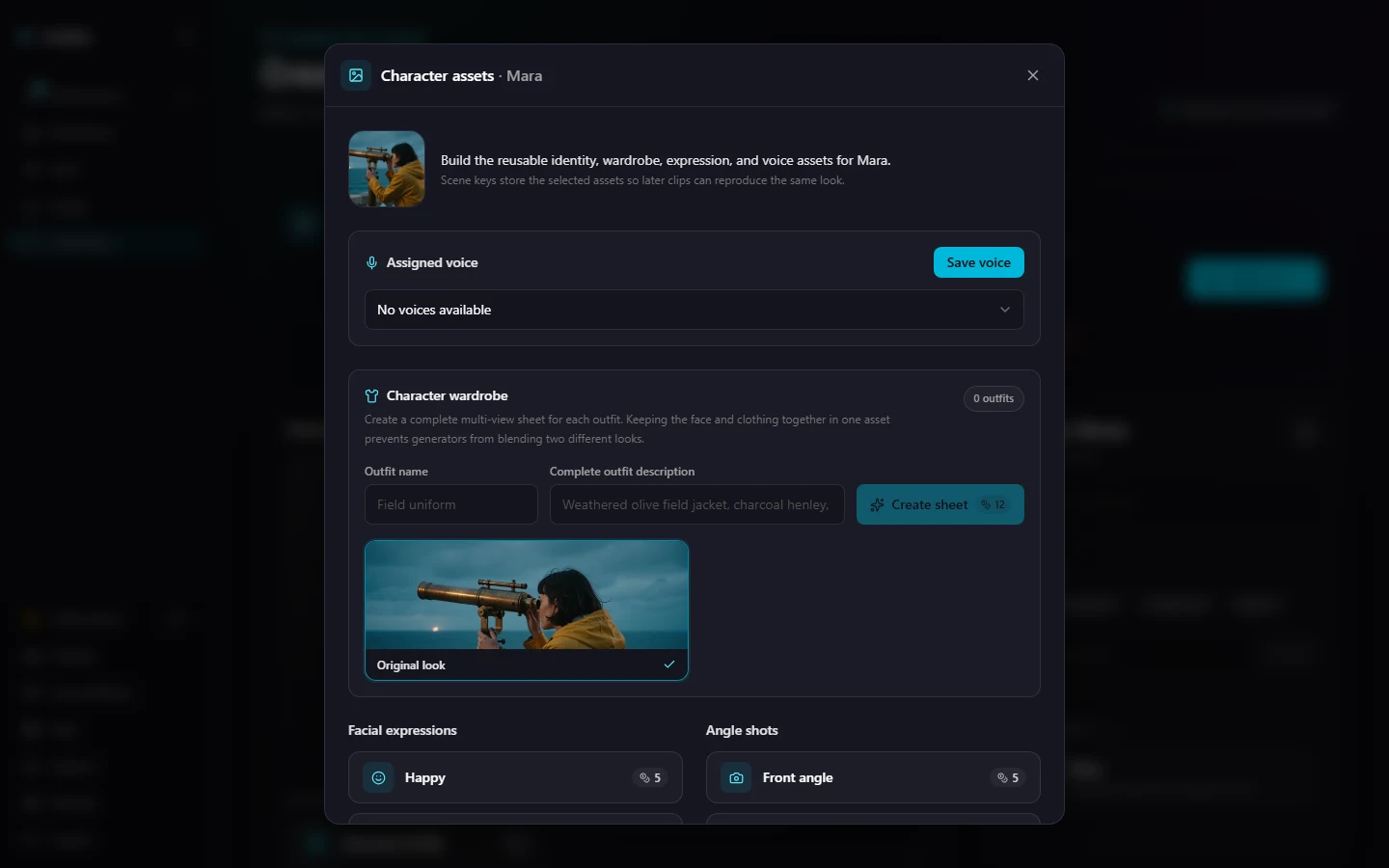
Give the next shot a familiar face.
Save character portraits, outfits, and reference views in a reusable library. Bring those references into your scenes instead of describing your cast from scratch every time.
Your clips belong on a timeline.
Bring generated shots and your own footage into the same edit. Trim the pacing, layer sound, and share a review link so feedback stays attached to the right moment.
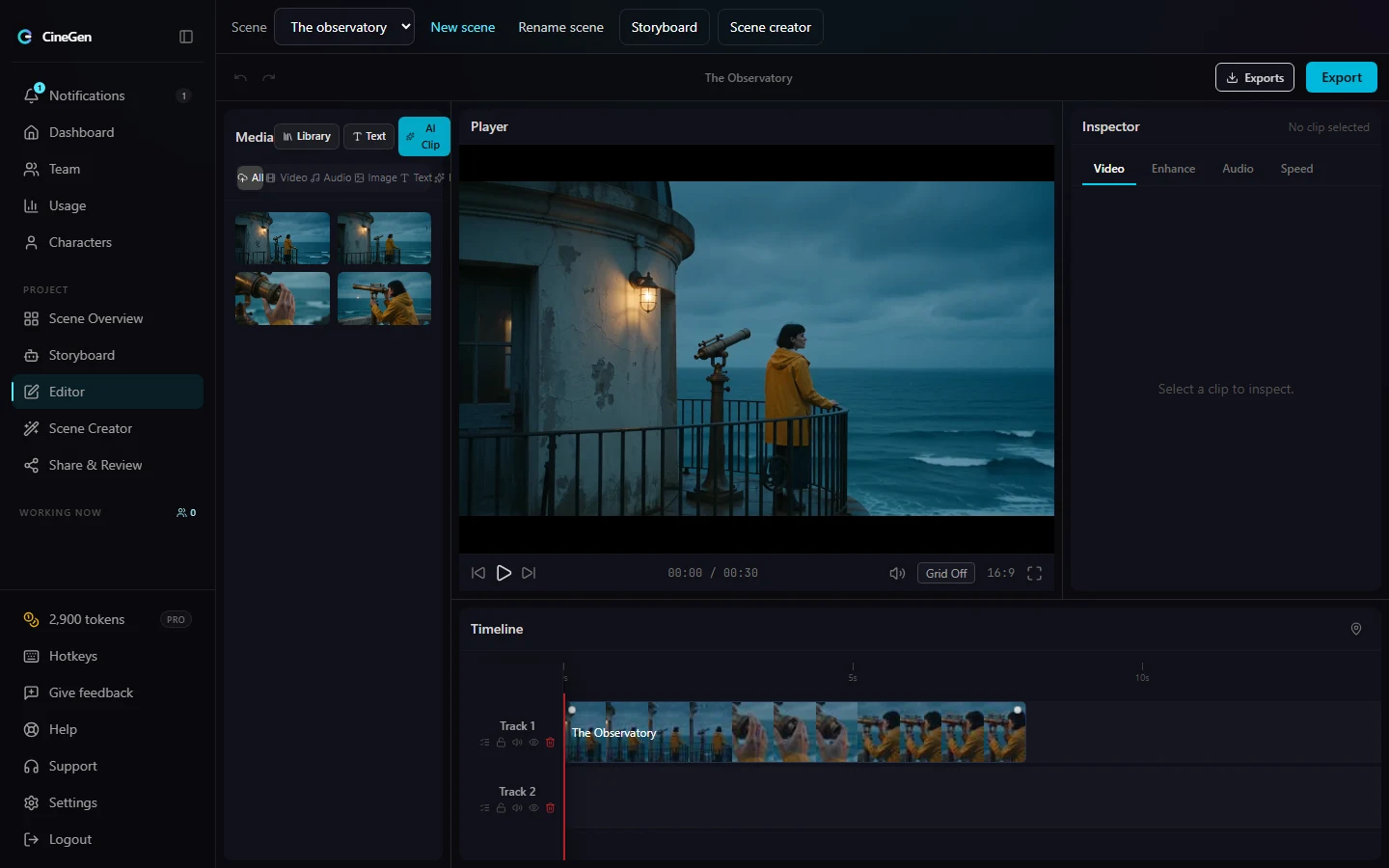
Actual CineGen interface with a sample project. Planning and AI features vary by plan.
Start with what you have
Try the edit.
Then build the film.
Bring a clip, an idea, or that project you keep meaning to finish. Get a feel for the editor before you choose a paid plan.
Open the free editorThe free starting point
$0- One local editing project
- Video, audio, and images on your timeline
- Watermarked 720p exports
- 100 welcome tokens for clip extension
Ready for storyboards, character tools, and AI generation? Compare the creator plans and their monthly token allowances.
See plans and token costsBefore you start.
A few things worth knowing.
Ask us anything else.
What can I do for free?
Start with one local project, the browser timeline editor, and watermarked 720p exports. New accounts receive 100 welcome tokens for clip extension. No credit card is required. Full AI generation and the planning workspaces require a paid plan.
How does AI generation pricing work?
Creator plans include a monthly token allowance. The cost of a generation depends on the model, resolution, and clip length. You can compare allowances and token costs on the pricing page. AI generation is not unlimited.
Can I edit footage I already have?
Yes. Import your own video, images, and audio into the browser editor. You can mix uploaded footage with generated clips on the same timeline.
Will my characters look exactly the same in every shot?
Character references help you guide appearance across shots, but generated results can still vary. CineGen gives you a place to keep those references and choose the takes that work together.
Can someone review the video without editing it?
Yes. Share a review link for timestamped comments and approvals. Reviewers can give feedback on the cut without changing your timeline.